

ClaudeCodeAgentTeams:BuildingYourAIWorkforce
Master Claude Code Agent Teams with Anthropic's Opus 4.6. This guide covers setup, architecture, and advanced deployment strategies for developers and power users. See the full setup guide.

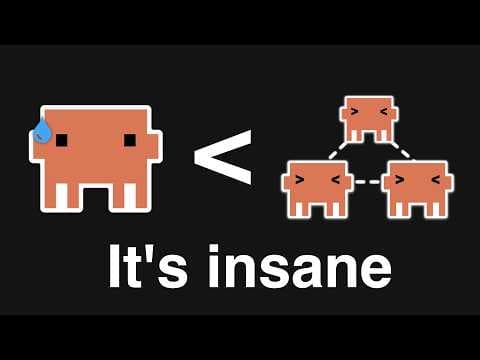
Claude Code Agent Teams: Orchestrating Autonomous AI Workflows
The paradigm of interacting with large language models through single, monolithic prompts is evolving. As AI systems tackle increasingly complex, multi-step problems, a more sophisticated approach is required. Claude Code Agent Teams represent a significant leap forward, enabling developers to construct an "AI workforce" where specialized agents collaborate, communicate, and utilize tools to achieve intricate objectives. This functionality, powered by Anthropic's Claude Opus 4.6, moves beyond simple conversational turns, fostering a distributed intelligence model capable of handling the nuances of software development, automated research, and advanced problem-solving.
This post provides a comprehensive guide for developers and technically proficient users on configuring, understanding, and implementing Claude Code Agent Teams. It focuses on practical application, architectural insights, and critical considerations for deployment.
#Understanding Claude Code Agent Teams
Claude Code Agent Teams introduce a structured methodology for leveraging AI in complex scenarios. Rather than relying on a single AI instance to perform all tasks, this feature allows for the orchestration of multiple, purpose-built AI agents. Each agent assumes a distinct role, is equipped with specific instructions, and has access to relevant tools, mimicking a human project team.
Key Characteristics:
- Difficulty: Advanced. Requires foundational programming knowledge and familiarity with command-line interfaces.
- Initial Setup Time: Approximately 1-2 hours for environment configuration and a basic functional team.
- Prerequisites:
- Python 3.9+
- Anthropic API Key (with access to Claude Opus 4.6)
- Basic proficiency in Python and CLI operations.
- Operating Systems: Compatible with macOS, Linux, and Windows (via WSL2 or direct Python installation).
#The Architecture of Collaborative AI: How Agent Teams Operate
Claude Code Agent Teams are fundamentally built upon a distributed intelligence model. A central orchestrator directs the actions and communication among several specialized AI agents. This architecture is designed to manage complex task decomposition, facilitate iterative problem-solving, and provide robust error handling through collective effort, mirroring the dynamics of human teams.
At its operational core, an Agent Team comprises four principal components:
- The Orchestrator: This is the control center. Its responsibilities include defining the overarching goal, breaking it down into sub-tasks, assigning these to individual agents, managing the flow of information between them, and determining when the complete task has been successfully achieved. It functions as the project manager, overseeing the AI workforce's progress.
- Specialized Agents: Each agent is an instance of an LLM, meticulously configured with a unique persona, a specific set of instructions, and access to a defined array of tools. Common roles might include a
Planner,CodeGenerator,Tester,Reviewer, orDocumentationWriter. Their specialization allows for focused expertise within the team. - Shared State/Context: Agents communicate and collaborate by updating a shared context, often referred to as "memory." This shared repository holds the current problem statement, ongoing discussions, generated artifacts (like code or documentation), and the results of tool executions. This mechanism ensures a coherent, evolving understanding of the task across all agents.
- Tools: Tools are external functions or APIs that agents can invoke. They extend the LLM's capabilities beyond pure text generation, allowing agents to perform real-world actions such as running code, accessing file systems, querying databases, or interacting with web services. Tools are critical for practical execution.
The workflow typically initiates with the orchestrator breaking down a complex problem. It then delegates portions of this problem to specific agents. These agents, leveraging their persona and assigned tools, generate outputs or perform actions. These results are then shared back to the orchestrator or other agents, triggering further iterations until the problem is fully resolved or a predefined termination condition is met. This iterative, collaborative methodology significantly enhances the AI's capacity to navigate ambiguity, manage complex dependencies, and adapt to dynamic problem spaces.
#Setting Up Your Development Environment for Agent Teams
Establishing a correct and robust development environment is the essential first step for building and executing Claude Code Agent Teams. This process primarily involves Python installation, virtual environment creation, and secure Anthropic API key configuration. A well-configured setup ensures dependency isolation, prevents version conflicts, and safeguards your API credentials, all critical for interacting with Claude Opus 4.6 models.
This guide assumes Python 3.9 or newer is installed. If not, download the latest version from python.org.
1. Install Python and Create a Virtual Environment
Purpose: Create an isolated Python environment to manage project dependencies. Rationale: Virtual environments prevent conflicts between different project dependencies and maintain a clean global Python installation.
Procedure: Open your terminal or command prompt and execute the following:
# Create a virtual environment named 'claude-agents-env'
python3 -m venv claude-agents-env

# Activate the virtual environment
# On macOS/Linux:
source claude-agents-env/bin/activate
# On Windows (Command Prompt):
.\claude-agents-env\Scripts\activate.bat
# On Windows (PowerShell):
.\claude-agents-env\Scripts\Activate.ps1
Verification: Your terminal prompt should now display (claude-agents-env) at the beginning, confirming the virtual environment is active.
2. Install the Anthropic Python SDK
Purpose: Install the official Anthropic Python client library. Rationale: This SDK provides the necessary interfaces to interact with Claude models, including Opus 4.6, and to leverage the Agent Teams functionality.
Procedure:
# Install the latest version of the Anthropic Python SDK
pip install anthropic~=0.23.0  # Pin to a specific version for stability, or 'anthropic' for the absolute latest
Verification: Run pip show anthropic. The output should detail the installed package, including its version and installation location.
3. Configure Your Anthropic API Key Securely
Purpose: Set your Anthropic API key as an environment variable. Rationale: This practice securely authenticates your requests to the Anthropic API without embedding sensitive credentials directly into your codebase. This is a fundamental security requirement.
First, obtain your API key from the Anthropic console.
⚠️ Security Warning: Never hardcode API keys directly into your source code. Always use environment variables or a secure configuration management system.
On macOS/Linux:
# Set the ANTHROPIC_API_KEY environment variable.
export ANTHROPIC_API_KEY="your_anthropic_api_key_here"
On Windows (Command Prompt):
# Set the ANTHROPIC_API_KEY environment variable.
set ANTHROPIC_API_KEY="your_anthropic_api_key_here"
On Windows (PowerShell):
# Set the ANTHROPIC_API_KEY environment variable.
$env:ANTHROPIC_API_KEY="your_anthropic_api_key_here"
Verification:
# Verify the environment variable is set.
# On macOS/Linux:
echo $ANTHROPIC_API_KEY
# On Windows (Command Prompt):
echo %ANTHROPIC_API_KEY%
# On Windows (PowerShell):
echo $env:ANTHROPIC_API_KEY
Your API key (or a truncated version) should be displayed, confirming its accessibility to your Python environment.
#Building Your First Claude Agent Team: A Practical Example
The core structure of a Claude Code Agent Team is defined by an orchestrator, specialized agents with distinct roles, and a set of shared tools, all collaborating through a carefully managed communication flow to achieve a specific objective. This modular design facilitates complex problem-solving by breaking down large tasks into manageable sub-tasks, each handled by an individual, purpose-built AI component.
Let's examine a minimal example of an Agent Team designed to generate and review a simple Python function.
1. Defining Tools for Agents (tools.py)
Purpose: Create Python functions that agents can invoke. Rationale: Tools empower agents to perform actions beyond pure text generation, such as executing code, reading/writing files, or making API calls.
Procedure: Create a file named tools.py in your project directory.
# tools.py
import subprocess
import os

def execute_python_code(code: str) -> str:
    """Executes Python code and returns its stdout and stderr."""
    try:
        temp_file = "temp_script.py"
        with open(temp_file, "w") as f:
            f.write(code)

        result = subprocess.run(
            ["python", temp_file],
            capture_output=True,
            text=True,
            check=False
        )
        os.remove(temp_file) # Clean up temp file

        output = result.stdout
        error = result.stderr

        if result.returncode != 0:
            return f"Execution failed with error:\n{error}\nOutput:\n{output}"
        return f"Execution successful.\nOutput:\n{output}"
    except Exception as e:
        return f"Tool execution error: {e}"

def read_file(filepath: str) -> str:
    """Reads the content of a specified file."""
    try:
        with open(filepath, 'r') as f:
            return f.read()
    except FileNotFoundError:
        return f"Error: File not found at {filepath}"
    except Exception as e:
        return f"Error reading file {filepath}: {e}"

def write_file(filepath: str, content: str) -> str:
    """Writes content to a specified file."""
    try:
        with open(filepath, 'w') as f:
            f.write(content)
        return f"Successfully wrote to {filepath}"
    except Exception as e:
        return f"Error writing to file {filepath}: {e}"
2. Orchestrating the Agent Team (agent_team_orchestrator.py)
Purpose: Define the orchestrator logic, agent roles, and the interaction flow. Rationale: This script integrates the defined tools and agents, establishing their communication and task execution sequence.
Procedure: Create a file named agent_team_orchestrator.py.
# agent_team_orchestrator.py
import os
from anthropic import Anthropic
from tools import execute_python_code, write_file, read_file

# Initialize Anthropic client with Opus 4.6
client = Anthropic(api_key=os.environ.get("ANTHROPIC_API_KEY"))
MODEL_NAME = "claude-3-opus-20240229" # Ensure this is the correct model ID for Claude Opus 4.6

def run_agent_team(initial_task: str):
    """Orchestrates a team of agents to complete a coding task."""
    print(f"Starting agent team for task: {initial_task}\n")

    conversation_history = []

    # Define agent personas and available tools
    def code_generator_agent(prompt: str, history: list):
        messages = history + [{
            "role": "user",
            "content": f"""You are an expert Python programmer. Your task is to write clean, efficient, and well-commented Python code.
            {prompt}

            Available tools: {', '.join([f'{t.__name__}' for t in [write_file]])}

            When writing code, always use the `write_file` tool to save the code to a file (e.g., 'main.py').
            After writing the code, indicate that you are done by saying 'CODE_GENERATION_COMPLETE' and provide the filename.
            """
        }]
        response = client.messages.create(
            model=MODEL_NAME,
            max_tokens=2000,
            messages=messages,
            tools=[
                {"name": "write_file", "description": write_file.__doc__, "input_schema": {"type": "object", "properties": {"filepath": {"type": "string"}, "content": {"type": "string"}}}}
            ]
        )
        return response.content

    def code_reviewer_agent(filepath: str, history: list):
        code_content = read_file(filepath)
        messages = history + [{
            "role": "user",
            "content": f"""You are a senior code reviewer. Your task is to critically review the provided Python code for correctness, efficiency, style, and potential bugs.
            Provide detailed feedback and suggest improvements. If the code is good, say 'REVIEW_COMPLETE'. If changes are needed, explain them clearly.

            Code to review (from {filepath}):
            ```python
            {code_content}
            ```

            Available tools: {', '.join([f'{t.__name__}' for t in [write_file]])}
            """
        }]
        response = client.messages.create(
            model=MODEL_NAME,
            max_tokens=2000,
            messages=messages,
            tools=[
                {"name": "write_file", "description": write_file.__doc__, "input_schema": {"type": "object", "properties": {"filepath": {"type": "string"}, "content": {"type": "string"}}}}
            ]
        )
        return response.content

    def code_tester_agent(filepath: str, history: list):
        code_content = read_file(filepath)
        messages = history + [{
            "role": "user",
            "content": f"""You are an automated testing specialist. Your task is to write and execute test cases for the provided Python code.
            If the code needs tests, write them and use the `write_file` tool to save them (e.g., 'test_main.py').
            Then, execute the main code or tests using the `execute_python_code` tool.
            Report the test results. If issues are found, explain them. If tests pass and the code works, say 'TESTING_COMPLETE'.

            Code to test (from {filepath}):
            ```python
            {code_content}
            ```

            Available tools: {', '.join([f'{t.__name__}' for t in [execute_python_code, write_file]])}
            """
        }]
        response = client.messages.create(
            model=MODEL_NAME,
            max_tokens=2000,
            messages=messages,
            tools=[
                {"name": "execute_python_code", "description": execute_python_code.__doc__, "input_schema": {"type": "object", "properties": {"code": {"type": "string"}}}},
                {"name": "write_file", "description": write_file.__doc__, "input_schema": {"type": "object", "properties": {"filepath": {"type": "string"}, "content": {"type": "string"}}}}
            ]
        )
        return response.content

    # --- Orchestration Logic ---
    current_agent = "generator"
    code_filepath = None
    max_iterations = 5
    iteration_count = 0

    while iteration_count < max_iterations:
        iteration_count += 1
        print(f"\n--- Iteration {iteration_count} (Current Agent: {current_agent}) ---")

        if current_agent == "generator":
            print("Code Generator thinking...")
            response_content = code_generator_agent(initial_task, conversation_history)

            # Process tool calls
            for block in response_content:
                if block.type == "tool_use":
                    tool_name = block.name
                    tool_input = block.input
                    print(f"Generator calling tool: {tool_name} with input {tool_input}")
                    if tool_name == "write_file":
                        tool_result = write_file(tool_input["filepath"], tool_input["content"])
                        code_filepath = tool_input["filepath"]
                        print(f"Tool result: {tool_result}")
                        conversation_history.append({"role": "assistant", "content": [{"type": "tool_use", "id": block.id, "name": tool_name, "input": tool_input}]})
                        conversation_history.append({"role": "user", "content": [{"type": "tool_result", "tool_use_id": block.id, "content": tool_result}]})
                        break # Assume one file write per generation for simplicity

            # Check for completion signal
            if any(isinstance(b, dict) and 'text' in b and 'CODE_GENERATION_COMPLETE' in b['text'] for b in response_content if b.type == 'text'):
                print("Code generation complete signal received.")
                if code_filepath:
                    current_agent = "reviewer"
                else:
                    print("Error: Generator completed but no file was written.")
                    break
            else:
                if not code_filepath:
                    print("Generator did not complete code or write file. Re-prompting generator with task details.")
                    conversation_history.append({"role": "assistant", "content": response_content})
                    conversation_history.append({"role": "user", "content": "Please ensure you write the code to a file and indicate completion with 'CODE_GENERATION_COMPLETE'."})
                else:
                    print("Generator did not complete, but a file exists. Moving to reviewer for initial check.")
                    current_agent = "reviewer"

        elif current_agent == "reviewer":
            if not code_filepath:
                print("No code file to review. Returning to generator.")
                current_agent = "generator"
                continue

            print("Code Reviewer thinking...")
            response_content = code_reviewer_agent(code_filepath, conversation_history)

            review_text = "".join([b.text for b in response_content if b.type == 'text'])
            print(f"Reviewer output: {review_text}")
            conversation_history.append({"role": "assistant", "content": response_content})

            if "REVIEW_COMPLETE" in review_text:
                print("Code review complete signal received. Moving to tester.")
                current_agent = "tester"
            else:
                print("Reviewer provided feedback. Returning to generator for revisions.")
                conversation_history.append({"role": "user", "content": "The reviewer provided feedback. Please revise the code based on the feedback and rewrite the file."})
                current_agent = "generator"

        elif current_agent == "tester":
            if not code_filepath:
                print("No code file to test. Returning to generator.")
                current_agent = "generator"
                continue

            print("Code Tester thinking...")
            response_content = code_tester_agent(code_filepath, conversation_history)

            # Process tool calls
            for block in response_content:
                if block.type == "tool_use":
                    tool_name = block.name
                    tool_input = block.input
                    print(f"Tester calling tool: {tool_name} with input {tool_input}")
                    if tool_name == "execute_python_code":
                        tool_result = execute_python_code(tool_input["code"])
                        print(f"Tool result: {tool_result}")
                        conversation_history.append({"role": "assistant", "content": [{"type": "tool_use", "id": block.id, "name": tool_name, "input": tool_input}]})
                        conversation_history.append({"role": "user", "content": [{"type": "tool_result", "tool_use_id": block.id, "content": tool_result}]})
                    elif tool_name == "write_file":
                        tool_result = write_file(tool_input["filepath"], tool_input["content"])
                        print(f"Tool result: {tool_result}")
                        conversation_history.append({"role": "assistant", "content": [{"type": "tool_use", "id": block.id, "name": tool_name, "input": tool_input}]})
                        conversation_history.append({"role": "user", "content": [{"type": "tool_result", "tool_use_id": block.id, "content": tool_result}]})

            test_text = "".join([b.text for b in response_content if b.type == 'text'])
            print(f"Tester output: {test_text}")
            conversation_history.append({"role": "assistant", "content": response_content})

            if "TESTING_COMPLETE" in test_text:
                print("Testing complete signal received. Task finished.")
                break
            else:
                print("Tester found issues or needs more work. Returning to generator for fixes.")
                conversation_history.append({"role": "user", "content": "The tester found issues or needs more test coverage. Please revise the code or add necessary tests and rewrite the file."})
                current_agent = "generator"

        # If max iterations reached without completion
        if iteration_count == max_iterations:
            print(f"\nMax iterations ({max_iterations}) reached. Agent team terminated without full completion.")
            break

    print("\n--- Agent Team Finished ---")
    if code_filepath and os.path.exists(code_filepath):
        print(f"Final code in {code_filepath}:\n{read_file(code_filepath)}")
    else:
        print("No final code file was generated or found.")

if __name__ == "__main__":
    task = "Write a Python function `is_prime(n)` that checks if a number `n` is prime. Include docstrings and type hints."
    run_agent_team(task)
Verification & Cost Considerations:
- Run the script:
python agent_team_orchestrator.py - Observe output: The console will display a sequence of print statements detailing agents' thought processes, tool calls, and response processing.
- Check for generated files: The script should create
main.py(or a similar filename) containing the generated Python code, and potentiallytest_main.pyif the tester agent is prompted to write tests.
⚠️ Cost Implications: Running agent teams, particularly with multiple iterations and tool calls, can consume a significant number of tokens, incurring costs. Monitor your Anthropic API usage closely. Define clear termination conditions and maximum iterations to prevent runaway processes and manage expenses effectively.
#Advanced Agent Workflows: Iteration and Expansion
The example provided demonstrates a foundational multi-agent code development workflow. This structured approach mirrors human software development practices, enabling AI to manage tasks from initial concept to tested implementation.
Core Principles of Multi-Agent Development:
- Task Decomposition: The initial
initial_taskis implicitly broken down by the orchestrator and the agents' internal logic. TheCodeGeneratorhandles initial implementation, theCodeReviewerfocuses on quality assurance, and theCodeTestervalidates functionality. - Iterative Refinement: The
whileloop withinrun_agent_teamorchestrates a crucial feedback loop. If theCodeReviewerorCodeTesteridentifies issues, control and feedback are directed back to theCodeGeneratorfor revisions. This iterative process is essential for error handling and continuous quality improvement. - Shared Context: The
conversation_historylist is paramount. It maintains the entire dialogue and tool interactions, ensuring subsequent agents understand the progress and previous feedback, thus preserving context across turns. - Tool Integration: Agents leverage tools (
write_file,read_file,execute_python_code) to interact with the simulated environment (file system, Python interpreter). This enables them to perform concrete actions, extending their capabilities beyond pure text generation. - Termination Conditions: The
max_iterationslimit prevents infinite loops, while explicit signals likeCODE_GENERATION_COMPLETE,REVIEW_COMPLETE, andTESTING_COMPLETEguide the workflow towards a successful conclusion.
Extending the Workflow:
To enhance the sophistication of this workflow, consider these architectural and role-based extensions:
- Error Handling Agent: Introduce a dedicated
ErrorDebuggerAgentdesigned to analyze error messages fromexecute_python_codeand provide actionable suggestions for fixes to theCodeGenerator. - Planning Agent: Prior to code generation, a
PlannerAgentcan outline high-level steps, required functions, and potential edge cases based on theinitial_task. This plan then serves as a guiding document for theCodeGenerator. - Documentation Agent: Upon successful testing and review, a
DocumentationAgentcan generate API documentation, README files, or usage examples for the final code, ensuring comprehensive project deliverables. - Version Control Integration: Extend existing tools to interact with Git, allowing agents to commit changes, create branches, or even resolve simple merge conflicts, integrating AI directly into modern development pipelines.
- Human-in-the-Loop: Implement mechanisms where, after a certain number of iterations or if agents reach a stalemate, the orchestrator can pause the process and prompt a human for intervention, input, or clarification. This blends AI autonomy with human oversight.
Example: Integrating a Planning Phase
Let's modify the run_agent_team function to include a PlannerAgent that generates a basic plan before code generation commences.
# (Inside agent_team_orchestrator.py, before run_agent_team)

def planner_agent(task: str, history: list):
    messages = history + [{
        "role": "user",
        "content": f"""You are a meticulous project planner. Your task is to break down the following coding task into clear, actionable steps, including function names, logic, and potential test cases.
        Provide a concise plan. Conclude your plan with 'PLAN_COMPLETE'.

        Task: {task}
        """
    }]
    response = client.messages.create(
        model=MODEL_NAME,
        max_tokens=1000,
        messages=messages
    )
    return response.content

# (Inside run_agent_team, modify the orchestration logic)
# ...

    # --- Orchestration Logic ---
    current_agent = "planner" # Start with planner
    code_filepath = None
    max_iterations = 7 # Increased iterations for planning phase
    iteration_count = 0
    plan_generated = False

    while iteration_count < max_iterations:
        iteration_count += 1
        print(f"\n--- Iteration {iteration_count} (Current Agent: {current_agent}) ---")

        if current_agent == "planner":
            print("Planner Agent thinking...")
            response_content = planner_agent(initial_task, conversation_history)
            plan_text = "".join([b.text for b in response_content if b.type == 'text'])
            print(f"Plan: {plan_text}")
            conversation_history.append({"role": "assistant", "content": response_content})

            if "PLAN_COMPLETE" in plan_text:
                print("Planning complete. Moving to code generator.")
                plan_generated = True
                current_agent = "generator"
            else:
                print("Planner did not complete plan. Re-prompting.")
                conversation_history.append({"role": "user", "content": "Please finalize the plan and include 'PLAN_COMPLETE'."})

        elif current_agent == "generator":
            if not plan_generated: # Ensure plan exists before generating code
                print("No plan generated yet. Returning to planner.")
                current_agent = "planner"
                continue
            # ... rest of generator logic ...
            # The generator agent's prompt would now implicitly take the plan from conversation_history
Verification: Running the modified agent_team_orchestrator.py will now show an initial phase where the PlannerAgent outputs a plan, followed by a detailed plan, before the CodeGenerator begins its work. This demonstrates how additional agents can be seamlessly integrated into a sophisticated workflow.
⚠️ Context Window Management: As
conversation_historygrows, it consumes more tokens. For long-running or complex tasks, implement a strategy to summarize past interactions or pass only the most relevant recent history to keep context windows manageable and costs down. Consider introducing aReflectorAgentthat periodically condenses the history.
#When Not to Use Agent Teams: Identifying Limitations
While Claude Code Agent Teams offer powerful capabilities for complex, multi-step problem-solving, they introduce inherent overhead in terms of complexity, token consumption, and latency. This makes them unsuitable for simple, single-turn tasks or scenarios where deterministic, low-latency execution is paramount. Misapplying agent teams can lead to increased costs, slower results, and unnecessary architectural complexity compared to simpler alternatives.
Here are specific scenarios and limitations where Claude Code Agent Teams might not be the optimal solution:
-
Simple, Single-Turn Query/Response Tasks:
- Limitation: If a task involves a direct question that can be answered with a single API call to an LLM (e.g., "Summarize this paragraph," "Translate this sentence," "Generate a single regex pattern"), the overhead of orchestrating multiple agents is entirely unwarranted.
- Alternative: A direct call to
client.messages.createwith a well-crafted prompt will be faster, cheaper, and simpler to implement.
-
High-Latency or Cost-Sensitive Applications:
- Limitation: Agent teams involve multiple LLM calls, tool executions, and iterative feedback loops. Each step introduces latency and token costs. For applications requiring real-time responses or operating under strict budget constraints, this cumulative overhead can be prohibitive.
- Alternative: For latency-critical tasks, consider fine-tuned models for specific, narrow domains or pre-computed responses. For cost-sensitive scenarios, optimize single prompts or use smaller, cheaper models where appropriate.
-
Deterministic or Rule-Based Logic:
- Limitation: If a problem can be solved with clear, unambiguous rules and deterministic logic (e.g., data validation, simple calculations, fixed workflow automation), traditional programming or a specialized rule engine will be more reliable and performant than an LLM-driven agent team. LLMs are, by nature, probabilistic.
- Alternative: Write standard Python/JavaScript code, use a business rule management system, or a state machine for predictable workflows.
-
Tasks Requiring Deep Human Intuition or Creativity (Beyond Current LLM Capabilities):
- Limitation: While LLMs exhibit creativity, tasks demanding truly novel scientific discovery, profound artistic innovation, or highly nuanced strategic decision-making that requires extensive real-world context and empathy often exceed current AI capabilities. Agent teams might produce plausible but ultimately superficial or flawed outputs in these domains.
- Alternative: Human experts, ideation sessions, or creative design processes remain indispensable for these types of challenges. AI can assist but not fully replace.
-
Poorly Defined Goals or Ambiguous Agent Roles:
- Limitation: Agent teams thrive on clear objectives and well-defined agent personas. If the overall goal is vague, or agent roles overlap significantly, the team can get stuck in infinite loops, produce conflicting information, or fail to converge on a solution efficiently. This leads to "agent stalling" and wasted tokens.
- Alternative: Invest in thorough problem definition and agent design before implementation. If the problem itself is too ill-defined, no AI architecture will solve it effectively.
-
Limited Access to Necessary Tools/APIs:
- Limitation: The power of agent teams often stems from their ability to use external tools. If the required tools (e.g., access to a proprietary database, specific hardware control) are unavailable or difficult to integrate, the agents will be severely constrained and less effective.
- Alternative: Focus on tasks that can be completed within the LLM's inherent capabilities or where existing, easily integrable tools are sufficient.
Verdict: Claude Code Agent Teams represent a powerful paradigm for complex, iterative, and collaborative AI problem-solving, particularly in software development and research. However, their strengths come with trade-offs. A critical assessment of the problem's complexity, cost implications, latency requirements, and the need for determinism should always guide the decision to employ an agent team versus a simpler, more direct AI or traditional software engineering approach.
#Frequently Asked Questions
What's the main difference between a single Claude prompt and an Agent Team? A single Claude prompt executes a task based on one set of instructions. An Agent Team, however, orchestrates multiple specialized AI agents, each with distinct roles and tools, to collaborate on complex, multi-step problems, often involving iterative refinement and decision-making over several turns.
How do I manage context and token usage efficiently in large Agent Teams? Efficient context management involves strategies such as summarizing agent conversations, passing only relevant information between steps, and implementing reflection agents to periodically condense prior interactions. Limiting the number of turns, defining clear exit conditions, and using shorter, targeted prompts for individual agents also significantly reduce token consumption and associated costs.
My agents are getting stuck in a loop or providing conflicting advice. What's wrong? This often indicates poorly defined agent roles, ambiguous goals, or insufficient communication protocols. Ensure each agent's responsibilities are distinct, their goals are clear, and the orchestration logic explicitly handles decision points, conflict resolution, and termination conditions to prevent perpetual cycles or contradictory outputs.
#Quick Verification Checklist
- Anthropic API Key is set as an environment variable (
ANTHROPIC_API_KEY). - Python virtual environment is active and
anthropicSDK is installed. - The
agent_team_orchestrator.pyscript runs without immediate errors and initiates agent interactions. - New files (e.g.,
main.py,test_main.py) are created in the project directory after execution.
#Further Reading & Resources
Last updated: July 28, 2024
- Mastering Claude Code for AI-Driven Development and Sales
- Mastering Claude CoWork: Practical AI Workflows for Developers
- AI Agent Design Patterns: A Deep Dive for Developers
Related Reading
Lazy Tech Talk Newsletter
Stay ahead — weekly AI & dev guides, zero noise →
Harit Narke
Senior SDET · Editor-in-Chief
Senior Software Development Engineer in Test with 10+ years in software engineering. Covers AI developer tools, agentic workflows, and emerging technology with engineering-first rigour. Testing claims, not taking them at face value.
Keep Reading
RESPECTS
Submit your respect if this protocol was helpful.
COMMUNICATIONS
No communications recorded in this log.