

BuildanAIMarketingTeamwithClaudeCodeSkills
A technical guide for developers to build and orchestrate an AI marketing team using Anthropic's Claude Code and Skills framework. Learn setup, agent roles, and common pitfalls for multi-agent systems.

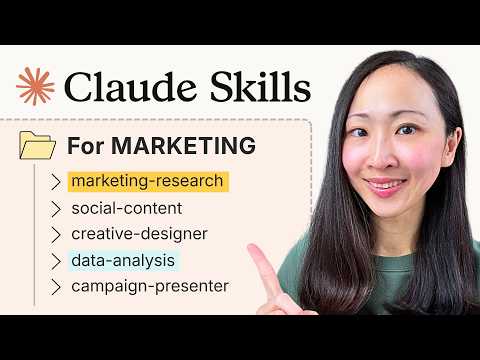
The era of single-prompt interactions with large language models is yielding to a more sophisticated paradigm: agentic AI. This shift fundamentally redefines how we leverage AI, particularly in specialized domains like marketing. Anthropic's Claude Code and its associated Skills framework represent a robust toolkit for constructing autonomous, multi-agent systems capable of complex, multi-step reasoning and interaction with the real world. For marketing professionals, this translates to the ability to assemble an AI team that can strategize, analyze, and create, moving beyond mere content generation to integrated workflow automation.
#Understanding Claude Code and Skills
At its core, Claude Code provides the structural framework for building agentic applications atop Anthropic's Claude models. It transforms a powerful language model from a reactive conversational interface into a proactive, goal-oriented worker.
Claude Code: The Orchestration Layer
Claude Code is Anthropic's developer framework designed to build sophisticated, agentic AI applications. Its primary function is to enable Claude models to interact with external tools and orchestrate complex workflows. This means Claude isn't just generating text; it's making decisions about what action to take next, which tool to use, and how to process the results to achieve a broader objective. This orchestration capability is critical for mimicking human team dynamics, where different specialists contribute to a shared goal.
Claude Skills: The Actionable Units
Claude Skills are the fundamental building blocks that empower Claude agents to perform actions beyond pure text generation. These skills are essentially programmatic functions or capabilities that Claude agents can dynamically invoke. They facilitate tool use, execute API calls, and process structured data. Think of Skills as the specialized competencies of an individual team member – a "search the web" skill allows data retrieval, while a "generate blog post" skill facilitates content creation. By equipping agents with a diverse set of skills, developers can create highly capable and adaptable AI systems.
#Laying the Foundation: Prerequisites and Environment Setup
Building with Claude Code and Skills requires a methodical approach to environment setup. This ensures compatibility, secure API access, and a structured development workflow.
Essential Requirements
- Difficulty: Intermediate to Advanced
- Time required: 2-4 hours for initial setup and a basic team, plus iteration for refinement.
- Prerequisites: Python 3.9+, Anthropic API key, fundamental understanding of LLM agents and prompt engineering, familiarity with
pipand virtual environments. - Works on: macOS, Linux, Windows (via WSL2 or native Python environment).
Step-by-Step Environment Configuration
A stable Python environment, an activated Anthropic API key, and familiarity with command-line operations are essential. These prerequisites ensure the necessary runtime, authentication, and tooling for SDK installation, Claude API interaction, and agentic workflow execution.
1. Python Installation
Claude Code SDKs are primarily Python-based, requiring a modern Python version for compatibility and features.
- What: Install Python 3.9 or newer.
- Why: Modern Python versions offer necessary features and compatibility for the Claude Code SDKs.
- How:
- macOS: Use Homebrew:
brew install python@3.10✅ Verification: Installation output concluding with
Python 3.10.x installed. Verify withpython3.10 --version. - Linux (Ubuntu/Debian):
sudo apt update
sudo apt install python3.10 python3.10-venv
✅ Verification: Installation output concluding with
python3.10 is already the newest version. Verify withpython3.10 --version. - Windows: Download the installer from python.org and ensure "Add Python to PATH" is checked during installation. Windows Subsystem for Linux (WSL2) is recommended for a more robust development environment.
✅ Verification: Successful installation wizard completion. Verify by opening Command Prompt or PowerShell and typing
python --version.
- macOS: Use Homebrew:
2. Anthropic API Key Acquisition
Access to Claude models via Claude Code requires authentication with a valid API key, which also tracks usage and billing.
- What: Obtain an Anthropic API Key.
- Why: Authentication and usage tracking for Claude API access.
- How:
- Navigate to the Anthropic Console.
- Sign up or log in.
- Go to "API Keys" in the sidebar.
- Click "Create New Key."
- Copy the generated key immediately; it will not be shown again.
⚠️ Security Warning: Treat your API key like a password. Do not hardcode it directly into your source code or commit it to public repositories. Use environment variables. ✅ Verification: A newly generated API key string (e.g.,
sk-ant-api03-xxxxxxxxxxxxxxxxxxxxxxxxxxxxxxxxxxxxxxxx).
3. Python Virtual Environment Setup
Virtual environments isolate project dependencies, preventing conflicts with other Python projects or your system's global Python installation.
- What: Set up a Python Virtual Environment.
- Why: Dependency isolation for project stability.
- How:
python3.10 -m venv claude-marketing-env
source claude-marketing-env/bin/activate  # On Windows: .\claude-marketing-env\Scripts\activate
✅ Verification: Your terminal prompt prefixed with
(claude-marketing-env), indicating the virtual environment is active.
4. Anthropic Python SDK Installation
The Anthropic SDK provides the client library to interact with Claude models, including the claude-code features.
- What: Install the Anthropic Python SDK.
- Why: Client library for Claude model interaction.
- How:
pip install anthropic==0.23.1 # Specify version for stability. Check Anthropic docs for latest stable.⚠️ Stability Warning: Always pin dependency versions (
==X.Y.Z) in production or shared development to prevent unexpected breaking changes from newer releases. ✅ Verification: Output indicating successful installation ofanthropicand its dependencies. Verify by runningpip list | grep anthropic.
5. API Key Configuration as Environment Variable
Storing your API key as an environment variable (ANTHROPIC_API_KEY) is the recommended and secure practice for authentication, preventing exposure in code.
- What: Configure your Anthropic API Key as an Environment Variable.
- Why: Secure and recommended authentication practice.
- How:
- Temporary (for current session):
export ANTHROPIC_API_KEY="sk-ant-api03-YOUR_ANTHROPIC_API_KEY" # macOS/Linux # For Windows Command Prompt: # set ANTHROPIC_API_KEY="sk-ant-api03-YOUR_ANTHROPIC_API_KEY" # For Windows PowerShell: # $env:ANTHROPIC_API_KEY="sk-ant-api03-YOUR_ANTHROPIC_API_KEY" - Persistent (recommended): Add the
exportcommand (orset/$env:) to your shell's profile file (e.g.,~/.bashrc,~/.zshrc,~/.profilefor macOS/Linux, or system environment variables for Windows). After editing, runsource ~/.zshrc(or equivalent) to apply changes.
✅ Verification: No direct output, but
echo $ANTHROPIC_API_KEY(macOS/Linux) orecho %ANTHROPIC_API_KEY%(Windows Cmd) or$env:ANTHROPIC_API_KEY(Windows PowerShell) should display your key. - Temporary (for current session):
6. Project Directory Structure
A well-organized project structure improves maintainability, scalability, and collaboration, especially for multi-agent systems.
- What: Create a Project Directory Structure.
- Why: Improved maintainability, scalability, and collaboration.
- How:
mkdir claude_marketing_team
cd claude_marketing_team
mkdir agents skills tools config data
touch main.py agents/__init__.py skills/__init__.py
✅ Verification: A directory structure similar to:
claude_marketing_team/
├── agents/
│   └── __init__.py
├── config/
├── data/
├── skills/
│   └── __init__.py
├── tools/
└── main.py
#Architecting AI Marketing Teams with Claude Skills
Claude Skills provide the foundational capabilities for an AI marketing team by allowing distinct AI agents to perform specialized tasks, mimicking human team roles like content creation, SEO analysis, and campaign management.
The Agentic Paradigm in Marketing
Instead of a single, monolithic AI attempting every marketing task, the agentic paradigm proposes a team of specialized AI agents. Each agent, powered by Claude, can be equipped with specific skills (e.g., "search the web," "generate blog post," "analyze keywords") and orchestrated to collaborate on broader marketing objectives. This leads to more dynamic, context-aware, and robust outputs than single-prompt interactions, as agents can leverage tools, share information, and adapt their strategies based on evolving data.
From Concept to Collaboration: A Workflow Overview
Building an AI marketing team with Claude Code involves defining multiple AI agents, each with a specific role (e.g., "Content Strategist," "SEO Analyst," "Social Media Manager"). These agents are then equipped with "Skills" – programmatic functions that allow them to interact with external tools, APIs, or internal data sources. For instance, a Content Strategist agent might use a "research_topic" skill to query a knowledge base or search engine, while an SEO Analyst agent might use an "analyze_keywords" skill to interact with a keyword research API. Claude Code orchestrates the flow of information and task delegation between these agents, enabling a cohesive workflow where each agent contributes its specialized intelligence.
#Building Your AI Marketing Team: A Practical Implementation
This section details the practical steps to define and orchestrate AI marketing agents using Claude Skills. The goal is to create modular Python functions for specific marketing tasks, register them as Claude tools, and craft system prompts that guide Claude agents to invoke these skills strategically based on their assigned roles.
Crafting Specialized Skills
1. Custom Skill for Web Search
Most marketing tasks require up-to-date information. A web search skill allows agents to gather data beyond their training cutoff. This example uses a placeholder for a real search API for brevity.
- What: Define
perform_web_searchandweb_search_tool. - Why: Enables agents to access current external information.
- How: Create
skills/web_search.py:# skills/web_search.py import requests from typing import List, Dict, Any def perform_web_search(query: str) -> List[Dict[str, Any]]: """ Performs a web search for the given query and returns a list of search results. This is a placeholder for a real search API integration (e.g., Google Custom Search, SerpAPI). """ print(f"Executing web search for: '{query}'...") # In a real application, integrate with a search API # For demonstration, return mock data if "latest marketing trends" in query.lower(): return [ {"title": "AI in Marketing 2026: Trends & Predictions", "url": "https://example.com/ai-marketing-2026", "snippet": "AI-driven personalization and hyper-segmentation are key trends."}, {"title": "The Future of Content Creation with LLMs", "url": "https://example.com/llm-content", "snippet": "Generative AI is transforming content workflows across industries."} ] elif "top SEO keywords for AI tools" in query.lower(): return [ {"title": "SEO for AI Tools: Keyword Research Guide", "url": "https://example.com/seo-ai-keywords", "snippet": "Focus on long-tail keywords like 'AI marketing automation platforms' and 'generative AI content tools'."}, {"title": "Competitive Keyword Analysis for AI Startups", "url": "https://example.com/ai-startup-seo", "snippet": "Identify high-volume, low-competition keywords specific to niche AI applications."} ] else: return [ {"title": f"Search Result for '{query}'", "url": f"https://example.com/search?q={query}", "snippet": f"A relevant snippet for your query '{query}'."} ] # Define the tool schema for Claude Code web_search_tool = { "name": "perform_web_search", "description": "Performs a web search for a given query and returns relevant results.", "input_schema": { "type": "object", "properties": { "query": { "type": "string", "description": "The search query to execute." } }, "required": ["query"] } }
2. Custom Skill for Content Generation
A content generation skill allows an agent to draft marketing copy based on provided outlines or research.
- What: Define
generate_blog_post_draftandgenerate_blog_post_tool. - Why: Enables agents to produce marketing content.
- How: Create
skills/content_generation.py:# skills/content_generation.py from typing import List def generate_blog_post_draft(topic: str, outline: str, keywords: List[str]) -> str: """ Generates a draft of a blog post based on a topic, outline, and target keywords. """ print(f"Generating blog post for topic: '{topic}' with outline: '{outline}' and keywords: {keywords}...") # In a real scenario, this would involve a more sophisticated prompt to Claude # or another LLM call to generate the actual content. draft = f""" # {topic} ## Introduction {outline.splitlines()[0] if outline else 'Introduce the topic and its relevance.'} ## Key Points - Point 1: Elaborate on {keywords[0] if keywords else 'first key concept'}. - Point 2: Discuss {keywords[1] if len(keywords) > 1 else 'second key concept'}. ## Conclusion Summarize the main takeaways and call to action. --- *Draft generated focusing on keywords: {', '.join(keywords)}* """ return draft # Define the tool schema for Claude Code generate_blog_post_tool = { "name": "generate_blog_post_draft", "description": "Generates a draft of a blog post based on a specified topic, outline, and target keywords.", "input_schema": { "type": "object", "properties": { "topic": { "type": "string", "description": "The main topic of the blog post." }, "outline": { "type": "string", "description": "A detailed outline for the blog post, including sections and sub-points." }, "keywords": { "type": "array", "items": {"type": "string"}, "description": "A list of target keywords to incorporate into the blog post." } }, "required": ["topic", "outline", "keywords"] } }
Orchestrating the Agents: The main.py Workflow
Orchestration defines how different agents interact and when they use their skills to achieve a broader goal. This is where the "team" aspect comes into play.
- What: Create
main.pyfor agent definition and interaction logic. - Why: Defines the multi-agent workflow and collaboration.
- How: Create
main.pyin the root directory:# main.py import os import anthropic from typing import List, Dict, Any # Import skills and their tool definitions from skills.web_search import perform_web_search, web_search_tool from skills.content_generation import generate_blog_post_draft, generate_blog_post_tool def run_marketing_team_workflow(client: anthropic.Anthropic, marketing_goal: str): """ Orchestrates a simple AI marketing team workflow using Claude Code and Skills. """ print(f"\n--- Starting Marketing Team Workflow for: '{marketing_goal}' ---\n") # --- Agent 1: Content Strategist --- # Role: Understand the goal, research topics, define content outline. content_strategist_system_prompt = f""" You are an expert Content Strategist for Lazy Tech Talk. Your goal is to develop a content plan and outline for a new marketing initiative. You have access to a web search tool to gather information. Based on the user's marketing goal: '{marketing_goal}', first perform a web search to understand current trends or relevant information. Then, propose a detailed content outline, including a main topic, key sections, and potential sub-points. Finally, identify 2-3 initial target keywords for the content. Your output should be structured and clear, ready for an SEO analyst and content generator. """ print("Content Strategist (thinking)...") messages = [ {"role": "user", "content": f"Develop a content plan for: '{marketing_goal}'."} ] strategist_response = client.beta.tools.messages.create( model="claude-3-opus-20240229", # Use Opus for complex reasoning, or Sonnet for cost-efficiency max_tokens=2000, system=content_strategist_system_prompt, messages=messages, tools=[web_search_tool] ) # Process tool calls from the Content Strategist tool_outputs = [] for content in strategist_response.content: if content.type == "tool_use": tool_name = content.name tool_input = content.input print(f"Content Strategist calls tool: {tool_name} with input: {tool_input}") if tool_name == "perform_web_search": search_results = perform_web_search(**tool_input) tool_outputs.append({ "type": "tool_result", "tool_use_id": content.id, "content": str(search_results) # Convert results to string for tool_result }) else: tool_outputs.append({ "type": "tool_result", "tool_use_id": content.id, "content": f"Unknown tool: {tool_name}" }) # Get the final response after tool execution if tool_outputs: strategist_final_response = client.beta.tools.messages.create( model="claude-3-opus-20240229", max_tokens=2000, system=content_strategist_system_prompt, messages=messages + strategist_response.content + tool_outputs, tools=[web_search_tool] ) content_plan_output = strategist_final_response.content[0].text else: content_plan_output = strategist_response.content[0].text print("\nContent Strategist's Plan:") print(content_plan_output) # Extract topic, outline, and initial keywords from the strategist's output # This parsing is crucial and often requires robust regex or another LLM call # For simplicity, we'll assume a structured output or use basic parsing. topic = "AI Marketing Trends in 2026" outline = "Introduction to AI in marketing; Key trends like personalization and automation; Impact on content creation; Conclusion." initial_keywords = ["AI marketing 2026", "generative AI content", "marketing automation trends"] if "Topic:" in content_plan_output: topic_line = [line for line in content_plan_output.splitlines() if "Topic:" in line] if topic_line: topic = topic_line[0].split("Topic:")[1].strip() if "Outline:" in content_plan_output: outline_start = content_plan_output.find("Outline:") outline_end = content_plan_output.find("Keywords:") if "Keywords:" in content_plan_output else len(content_plan_output) outline = content_plan_output[outline_start + len("Outline:"):outline_end].strip() if "Keywords:" in content_plan_output: keywords_line = [line for line in content_plan_output.splitlines() if "Keywords:" in line] if keywords_line: initial_keywords = [k.strip() for k in keywords_line[0].split("Keywords:")[1].strip().split(',')] # --- Agent 2: SEO Analyst --- # Role: Refine keywords, provide SEO recommendations. seo_analyst_system_prompt = f""" You are an expert SEO Analyst for Lazy Tech Talk. Your task is to refine the provided content plan and initial keywords for optimal search engine performance. You have access to a web search tool to research keyword competitiveness and relevance. Given the content topic: '{topic}', outline: '{outline}', and initial keywords: {initial_keywords}, perform a web search to identify more targeted, high-intent keywords. Provide a refined list of 3-5 keywords and any crucial SEO recommendations for the content. """ print("\nSEO Analyst (thinking)...") seo_messages = [ {"role": "user", "content": f"Refine SEO for the following content plan:\nTopic: {topic}\nOutline: {outline}\nInitial Keywords: {', '.join(initial_keywords)}"} ] seo_response = client.beta.tools.messages.create( model="claude-3-opus-20240229", max_tokens=1000, system=seo_analyst_system_prompt, messages=seo_messages, tools=[web_search_tool] ) seo_tool_outputs = [] for content in seo_response.content: if content.type == "tool_use": tool_name = content.name tool_input = content.input print(f"SEO Analyst calls tool: {tool_name} with input: {tool_input}") if tool_name == "perform_web_search": search_results = perform_web_search(**tool_input) seo_tool_outputs.append({ "type": "tool_result", "tool_use_id": content.id, "content": str(search_results) }) if seo_tool_outputs: seo_final_response = client.beta.tools.messages.create( model="claude-3-opus-20240229", max_tokens=1000, system=seo_analyst_system_prompt, messages=seo_messages + seo_response.content + seo_tool_outputs, tools=[web_search_tool] ) seo_output = seo_final_response.content[0].text else: seo_output = seo_response.content[0].text print("\nSEO Analyst's Recommendations:") print(seo_output) # Extract refined keywords from SEO analyst's output refined_keywords = initial_keywords # Fallback if "Refined Keywords:" in seo_output: keywords_line = [line for line in seo_output.splitlines() if "Refined Keywords:" in line] if keywords_line: refined_keywords = [k.strip() for k in keywords_line[0].split("Refined Keywords:")[1].strip().split(',')] elif "Keywords:" in seo_output: # Also check for generic keywords if 'Refined' isn't used keywords_line = [line for line in seo_output.splitlines() if "Keywords:" in line] if keywords_line: refined_keywords = [k.strip() for k in keywords_line[0].split("Keywords:")[1].strip().split(',')] # --- Agent 3: Content Generator --- # Role: Generate content based on the refined plan and keywords. content_generator_system_prompt = f""" You are a skilled Content Generator for Lazy Tech Talk. Your task is to write a draft blog post based on the provided topic, outline, and refined keywords. You have access to a blog post generation tool. Topic: '{topic}' Outline: '{outline}' Refined Keywords: {', '.join(refined_keywords)} Generate a comprehensive draft, ensuring the keywords are naturally integrated. """ print("\nContent Generator (thinking)...") generator_messages = [ {"role": "user", "content": "Generate the blog post draft now."} ] generator_response = client.beta.tools.messages.create( model="claude-3-haiku-20240307", # Haiku is good for generation tasks, faster and cheaper max_tokens=2000, system=content_generator_system_prompt, messages=generator_messages, tools=[generate_blog_post_tool] ) generator_tool_outputs = [] for content in generator_response.content: if content.type == "tool_use": tool_name = content.name tool_input = content.input print(f"Content Generator calls tool: {tool_name} with input: {tool_input}") if tool_name == "generate_blog_post_draft": blog_post_draft = generate_blog_post_draft(topic=topic, outline=outline, keywords=refined_keywords) generator_tool_outputs.append({ "type": "tool_result", "tool_use_id": content.id, "content": blog_post_draft }) if generator_tool_outputs: generator_final_response = client.beta.tools.messages.create( model="claude-3-haiku-20240307", max_tokens=2000, system=content_generator_system_prompt, messages=generator_messages + generator_response.content + generator_tool_outputs, tools=[generate_blog_post_tool] ) final_draft = generator_final_response.content[0].text else: final_draft = generator_response.content[0].text print("\n--- Final Blog Post Draft ---") print(final_draft) print("\n--- Workflow Completed ---") if __name__ == "__main__": anthropic_api_key = os.environ.get("ANTHROPIC_API_KEY") if not anthropic_api_key: raise ValueError("ANTHROPIC_API_KEY environment variable not set.") client = anthropic.Anthropic(api_key=anthropic_api_key) marketing_goal_input = "Create a blog post about the latest AI marketing trends for 2026." run_marketing_team_workflow(client, marketing_goal_input)
Executing the Workflow
Executing the main.py script initiates the multi-agent workflow, demonstrating how Claude agents can collaborate using their defined skills.
- What: Run the
main.pyscript. - Why: Demonstrates multi-agent collaboration and workflow execution.
- How: Ensure your virtual environment is active and
ANTHROPIC_API_KEYis set.python main.py✅ Verification: A series of print statements indicating each agent's thought process, tool calls, and the final generated blog post draft. The output will show the Content Strategist performing a web search, then proposing a plan, followed by the SEO Analyst refining keywords (also potentially using a web search), and finally the Content Generator drafting the post.
#Navigating the Complexities: Common Pitfalls in Agent Deployment
Deploying Claude Skill agents introduces new challenges beyond traditional LLM interactions. Successfully overcoming these requires meticulous prompt design, robust error handling, and strategic orchestration.
Context and Token Management
- Problem: As agents interact and generate responses, the cumulative conversation history and tool outputs can quickly consume the LLM's context window. This leads to truncated responses, forgotten context, or errors, particularly with long-running workflows or verbose tool outputs.
- Solution: Implement summarization techniques for long conversations or tool results. Design skills to return concise, structured data rather than verbose text. Explicitly manage the
messageslist, potentially pruning older turns or only passing the most relevant recent interactions. Consider using different Claude models (e.g., Haiku for shorter, simpler steps; Opus for complex reasoning) to optimize token cost and context window utilization.
Robust Tool Integration and Error Handling
- Problem: Real-world APIs are often unreliable, return unexpected data formats, or impose rate limits. If a Claude Skill doesn't handle these gracefully, the agent workflow can break or produce nonsensical output, undermining the entire system's reliability.
- Solution: Wrap all external API calls within
try-exceptblocks. Implement clear error messages or fallback mechanisms within your skill functions. Ensure thetool_resultpassed back to Claude clearly indicates success or failure, allowing the agent to adapt its strategy. Design tool schemas (input_schema) to be precise, guiding Claude to call tools with correct parameters and minimizing parsing errors.
Ensuring Coherent Agent Communication
- Problem: Agents, even with well-defined roles, can misinterpret each other's outputs or fail to pass necessary information downstream, leading to disjointed workflows or incorrect results. Ambiguity in handoffs can derail complex processes.
- Solution: Enforce structured outputs (e.g., JSON, XML) for agent-to-agent communication via system prompts. Explicitly define the expected input and output format for each stage of the workflow. Use a "supervisor" agent or a central orchestrator (as demonstrated in
main.py) to review and route information between specialized agents, ensuring coherence and reducing misinterpretation.
The Art of Prompt Engineering for Agentic Systems
- Problem: Crafting system prompts that reliably guide Claude to use tools, maintain its persona, and execute multi-step reasoning is challenging. Agents might "forget" their role, fail to invoke tools when appropriate, or struggle with complex decision-making.
- Solution: Iterate extensively on system prompts. Include explicit instructions for tool usage, desired output formats, and persona reinforcement. Use few-shot examples within the prompt to demonstrate desired behavior. Clearly state the agent's objective and constraints. Crucially, ensure the prompt guides the agent through the process of problem-solving, not just towards a final answer, encouraging strategic thinking.
Strategic Cost Management
- Problem: Complex, multi-turn agentic workflows, especially with larger models like Claude Opus, can incur significant API costs, making the solution economically unviable for certain use cases.
- Solution: Use the smallest effective model for each step (e.g., Haiku for simple content generation, Sonnet for moderate reasoning, Opus for critical, complex decision-making). Optimize prompts to reduce token count by being concise and precise. Implement caching for frequently accessed data or skill results to avoid redundant API calls. Monitor API usage closely during development and deployment to identify and address cost hotspots.
#Strategic Considerations: When Agent Orchestration Isn't the Answer
While powerful, Claude Code and AI agent orchestration are not always the optimal solution. They are overkill for simple, single-turn tasks, situations requiring deterministic, rule-based logic, or when existing specialized tools offer a more efficient, cost-effective solution. The overhead of designing, testing, and maintaining a multi-agent system often outweighs the benefits for less complex use cases.
Simplicity Over Complexity
- Verdict: If your marketing need can be met with a single, well-crafted prompt to a foundational LLM (e.g., "Write five social media posts about our new product"), building an entire multi-agent system with Claude Code introduces unnecessary complexity. A direct API call or a basic chat interface is far more efficient and easier to maintain.
Determinism vs. Adaptability
- Verdict: For tasks that follow strict, unchanging rules (e.g., "If lead source is X and industry is Y, send email template Z"), traditional marketing automation platforms (e.g., HubSpot, Salesforce Marketing Cloud) or even simple scripting are superior. LLM agents introduce a degree of non-determinism, which is undesirable for processes requiring absolute predictability and auditability.
Volume and Velocity
- Verdict: If you need to generate thousands of variations of simple ad copy or perform bulk data entry, the latency and cost associated with LLM agent orchestration can quickly become prohibitive. Specialized content generation APIs or structured data processing tools are often more performant and economical for high-volume, low-value operations.
Lack of External Interaction Needs
- Verdict: The primary strength of Claude Code and Skills lies in enabling LLMs to interact with external systems. If your "marketing team" solely needs to perform text generation or analysis without needing to query databases, send emails, or interact with third-party APIs, then a simpler LLM integration without the agentic framework might suffice. The added complexity of skills and tools is unwarranted.
Resource Constraints
- Verdict: Developing robust agentic systems requires significant prompt engineering, testing, and iteration, which translates to considerable developer time and API costs. For small-scale projects or startups with tight budgets, investing in a complex Claude Code setup might divert resources from core product development. A more focused, single-agent approach or leveraging existing SaaS solutions could be more pragmatic.
Latency-Sensitive Applications
- Verdict: While Claude models are fast, orchestrating multiple agents, each potentially making API calls and tool invocations, adds cumulative latency. For applications requiring sub-second response times (e.g., real-time customer service bots with immediate actions), a simpler, more direct system architecture might be necessary to meet performance requirements.
#Verdict: The Strategic Value of Agentic AI in Marketing
The transition to agentic AI, powered by frameworks like Claude Code and Skills, represents a significant leap in automation capabilities for marketing. It moves beyond rudimentary AI assistance to creating sophisticated, collaborative AI teams that can execute complex, multi-stage campaigns. For organizations prepared to invest in the necessary architectural and prompt engineering efforts, this paradigm offers unparalleled potential for efficiency, scalability, and innovation in marketing operations. The ability to dynamically adapt, leverage external tools, and orchestrate specialized AI functions will become a competitive differentiator, enabling more intelligent and responsive marketing strategies.
Last updated: July 28, 2024
#Frequently Asked Questions
What is the primary advantage of using Claude Skills for an AI marketing team over traditional LLM prompting? Claude Skills enable LLMs to perform specific, tool-augmented actions and maintain state across complex workflows, allowing for more dynamic, multi-step, and reliable agentic behavior than what's achievable with static prompts. This is crucial for orchestrating an 'AI team' where agents need to interact with external tools and each other, adapting to real-world data and feedback.
How can I manage prompt context and token usage efficiently when orchestrating multiple Claude Code agents? Efficient context management involves structuring agent communication through shared memory stores or structured outputs, employing summarization techniques for long-running conversations, and using function calling to pass only relevant data. Carefully define the scope of each agent's responsibility to minimize unnecessary information in prompts, and leverage Claude's context window capabilities strategically by choosing appropriate models for each task.
What are the key differences between Claude Code agents and other agentic frameworks like LangChain or LlamaIndex? Claude Code is Anthropic's native framework, deeply integrated with Claude models and optimized for its function calling and tool use capabilities, often simplifying development for Claude-centric applications. Other frameworks like LangChain offer broader model agnosticism and a wider array of pre-built integrations, but may require more explicit configuration to leverage Claude's specific strengths optimally. The choice depends on ecosystem preference, integration requirements, and the specific LLM being used as the core intelligence.
#Quick Verification Checklist
- Python 3.9+ is installed and accessible.
- Anthropic API key is set as
ANTHROPIC_API_KEYenvironment variable. -
anthropicSDK (version0.23.1or newer) is installed in your virtual environment. - Project directory structure (
agents,skills,main.py) is created. -
main.pyexecutes withoutANTHROPIC_API_KEYerrors. - The workflow prints output from each agent's "thinking" and tool calls.
- A final blog post draft is generated and displayed in the console.
Related Reading
Lazy Tech Talk Newsletter
Get the next MCP integration guide in your inbox →
Harit Narke
Senior SDET · Editor-in-Chief
Senior Software Development Engineer in Test with 10+ years in software engineering. Covers AI developer tools, agentic workflows, and emerging technology with engineering-first rigour. Testing claims, not taking them at face value.
Keep Reading
RESPECTS
Submit your respect if this protocol was helpful.
COMMUNICATIONS
No communications recorded in this log.