

Claude Code Agent Teams: Building Your AI Workforce
Master Claude Code Agent Teams with Anthropic's Opus 4.6. This guide covers setup, architecture, and advanced deployment strategies for developers and power users. See the full setup guide.
🛡️ What Is Claude Code's Agent Teams?
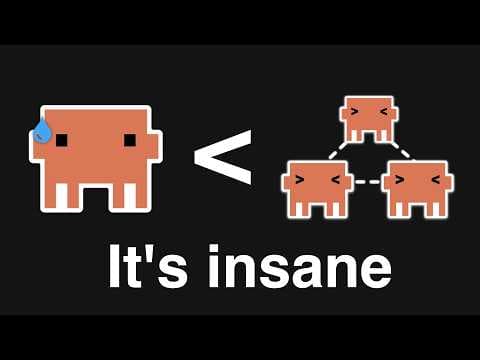
Claude Code's Agent Teams are a new feature released with Anthropic's Claude Opus 4.6, enabling developers to orchestrate multiple specialized AI agents to collaboratively tackle complex, multi-step problems. This functionality extends beyond single-turn prompt interactions, allowing for the creation of an "AI workforce" where agents assume distinct roles, communicate, and utilize tools to achieve a common goal, making it ideal for intricate development tasks, automated workflows, and advanced problem-solving.
This guide provides a deep dive into setting up, understanding, and implementing Claude Code Agent Teams for developers and technically literate power users.
📋 At a Glance
- Difficulty: Advanced
- Time required: 1-2 hours (initial environment setup and first functional agent team)
- Prerequisites: Python 3.9+, Anthropic API Key (with access to Claude Opus 4.6), basic proficiency with Python programming and command-line interfaces.
- Works on: macOS, Linux, Windows (via WSL2 or direct Python installation).
How Do Claude Code Agent Teams Function Architecturally?
Claude Code Agent Teams operate on a distributed intelligence model, where a central orchestrator coordinates the actions and communication of several specialized AI agents, each designed for a specific role and equipped with relevant tools. This architecture contrasts sharply with single-agent prompting by enabling complex task decomposition, iterative problem-solving, and robust error handling through collaborative effort, mimicking human team dynamics in software development or research.
At its core, an Agent Team comprises:
- The Orchestrator: This is the primary controller responsible for defining the overall goal, assigning sub-tasks to individual agents, managing the flow of information between them, and determining when the task is complete. It acts as the "project manager" of the AI workforce.
- Specialized Agents: Each agent is an instance of a large language model (LLM) configured with a specific persona, instructions, and a set of available tools (e.g., code interpreter, file system access, web search). Common roles might include a
Planner,CodeGenerator,Tester,Reviewer, orDocumentationWriter. - Shared State/Context: Agents communicate by updating a shared context or "memory" that contains the current problem statement, ongoing discussions, generated artifacts, and results of tool executions. This allows for a coherent, evolving understanding of the task.
- Tools: These are external functions or APIs that agents can invoke to perform actions outside their LLM capabilities, such as running code, accessing databases, or interacting with web services. Tools are critical for enabling agents to interact with the real world and execute practical tasks.
The workflow typically involves the orchestrator breaking down a complex problem, delegating portions to specific agents, who then use their persona and tools to generate outputs or perform actions. These outputs are shared back to the orchestrator or other agents, leading to further iterations until the problem is solved or a predefined termination condition is met. This iterative, collaborative approach significantly enhances the AI's capability to handle ambiguity, complex dependencies, and dynamic problem spaces.
How Do I Prepare My Environment for Claude Code Agent Teams?
Setting up your development environment correctly is the foundational step for building and running Claude Code Agent Teams, primarily involving Python installation, virtual environment creation, and secure Anthropic API key configuration. A robust setup ensures dependency isolation, prevents version conflicts, and secures your API credentials, which are essential for interacting with Anthropic's Claude Opus 4.6 models.
This guide assumes you have Python 3.9 or newer installed. If not, download it from python.org.
1. Install Python and Create a Virtual Environment
What: Create an isolated Python environment to manage project dependencies. Why: Virtual environments prevent conflicts between different project dependencies and keep your global Python installation clean. How: Open your terminal or command prompt and execute the following commands.
# What: Create a virtual environment named 'claude-agents-env'
# Why: Isolates project dependencies.
# How:
python3 -m venv claude-agents-env

# What: Activate the virtual environment
# Why: Ensures subsequent installations are confined to this environment.
# How:
# On macOS/Linux:
source claude-agents-env/bin/activate
# On Windows (Command Prompt):
.\claude-agents-env\Scripts\activate.bat
# On Windows (PowerShell):
.\claude-agents-env\Scripts\Activate.ps1
Verify: Your terminal prompt should change to include (claude-agents-env) at the beginning.
> ✅ Your terminal prompt now shows (claude-agents-env) indicating the virtual environment is active.
2. Install the Anthropic Python SDK
What: Install the official Anthropic Python client library. Why: This SDK provides the necessary interfaces to interact with Claude models, including Opus 4.6, and to leverage the Agent Teams functionality. How:
# What: Install the latest version of the Anthropic Python SDK
# Why: Provides the client library for interacting with Claude models and Agent Teams.
# How:
pip install anthropic~=0.23.0  # Use a specific version for stability, or 'anthropic' for latest
Verify: Run pip show anthropic. You should see details about the installed package, including its version and location.
> ✅ Output confirming the 'anthropic' package is installed with version details.
3. Configure Your Anthropic API Key
What: Set your Anthropic API key as an environment variable. Why: Securely authenticates your requests to the Anthropic API without hardcoding sensitive credentials directly into your code. This is a critical security practice. How: First, obtain your API key from the Anthropic console.
⚠️ Security Warning: Never hardcode API keys directly into your source code. Always use environment variables or a secure configuration management system.
On macOS/Linux:
# What: Set the ANTHROPIC_API_KEY environment variable.
# Why: Provides secure access to the Anthropic API.
# How:
export ANTHROPIC_API_KEY="your_anthropic_api_key_here"
On Windows (Command Prompt):
# What: Set the ANTHROPIC_API_KEY environment variable.
# Why: Provides secure access to the Anthropic API.
# How:
set ANTHROPIC_API_KEY="your_anthropic_api_key_here"
On Windows (PowerShell):
# What: Set the ANTHROPIC_API_KEY environment variable.
# Why: Provides secure access to the Anthropic API.
# How:
$env:ANTHROPIC_API_KEY="your_anthropic_api_key_here"
Verify:
# What: Verify the environment variable is set.
# Why: Confirm the API key is accessible to your Python environment.
# How:
# On macOS/Linux:
echo $ANTHROPIC_API_KEY
# On Windows (Command Prompt):
echo %ANTHROPIC_API_KEY%
# On Windows (PowerShell):
echo $env:ANTHROPIC_API_KEY
> ✅ Your API key (or a truncated version) should be displayed, confirming it's set.
What Is the Core Structure of a Claude Code Agent Team?
The core structure of a Claude Code Agent Team is defined by an orchestrator, specialized agents with distinct roles, and a set of shared tools, all collaborating through a carefully managed communication flow to achieve a specific objective. This modular design allows for complex problem-solving by breaking down large tasks into manageable sub-tasks handled by individual, purpose-built AI components.
Let's examine a minimal example of an Agent Team designed to generate and review a simple Python function.
1. Define Tools for Agents
What: Create Python functions that agents can invoke.
Why: Tools allow agents to perform actions beyond pure text generation, such as executing code, reading/writing files, or making API calls.
How: Create a file named tools.py.
# tools.py
import subprocess
import os

def execute_python_code(code: str) -> str:
    """Executes Python code and returns its stdout and stderr."""
    try:
        # Save code to a temporary file
        temp_file = "temp_script.py"
        with open(temp_file, "w") as f:
            f.write(code)

        # Run the script using subprocess
        result = subprocess.run(
            ["python", temp_file],
            capture_output=True,
            text=True,
            check=False
        )
        os.remove(temp_file) # Clean up temp file

        output = result.stdout
        error = result.stderr

        if result.returncode != 0:
            return f"Execution failed with error:\n{error}\nOutput:\n{output}"
        return f"Execution successful.\nOutput:\n{output}"
    except Exception as e:
        return f"Tool execution error: {e}"

def read_file(filepath: str) -> str:
    """Reads the content of a specified file."""
    try:
        with open(filepath, 'r') as f:
            return f.read()
    except FileNotFoundError:
        return f"Error: File not found at {filepath}"
    except Exception as e:
        return f"Error reading file {filepath}: {e}"

def write_file(filepath: str, content: str) -> str:
    """Writes content to a specified file."""
    try:
        with open(filepath, 'w') as f:
            f.write(content)
        return f"Successfully wrote to {filepath}"
    except Exception as e:
        return f"Error writing to file {filepath}: {e}"
Verify: No direct verification for this step, but ensure the file tools.py is saved correctly in your project directory.
2. Implement the Agent Team Orchestration
What: Define the orchestrator logic, agent roles, and the interaction flow.
Why: This script brings together the defined tools and agents, establishing their communication and task execution sequence.
How: Create a file named agent_team_orchestrator.py.
# agent_team_orchestrator.py
import os
from anthropic import Anthropic
from tools import execute_python_code, write_file, read_file

# Initialize Anthropic client with Opus 4.6
client = Anthropic(api_key=os.environ.get("ANTHROPIC_API_KEY"))
MODEL_NAME = "claude-3-opus-20240229" # Assuming Opus 4.6 is this model ID or similar for 2026

def run_agent_team(initial_task: str):
    """Orchestrates a team of agents to complete a coding task."""
    print(f"Starting agent team for task: {initial_task}\n")

    conversation_history = []

    # Define agent personas and available tools
    def code_generator_agent(prompt: str, history: list):
        messages = history + [{
            "role": "user",
            "content": f"""You are an expert Python programmer. Your task is to write clean, efficient, and well-commented Python code.
            {prompt}

            Available tools: {', '.join([f'{t.__name__}' for t in [write_file]])}

            When writing code, always use the `write_file` tool to save the code to a file (e.g., 'main.py').
            After writing the code, indicate that you are done by saying 'CODE_GENERATION_COMPLETE' and provide the filename.
            """
        }]
        response = client.messages.create(
            model=MODEL_NAME,
            max_tokens=2000,
            messages=messages,
            tools=[
                {"name": "write_file", "description": write_file.__doc__, "input_schema": {"type": "object", "properties": {"filepath": {"type": "string"}, "content": {"type": "string"}}}}
            ]
        )
        return response.content

    def code_reviewer_agent(filepath: str, history: list):
        code_content = read_file(filepath)
        messages = history + [{
            "role": "user",
            "content": f"""You are a senior code reviewer. Your task is to critically review the provided Python code for correctness, efficiency, style, and potential bugs.
            Provide detailed feedback and suggest improvements. If the code is good, say 'REVIEW_COMPLETE'. If changes are needed, explain them clearly.

            Code to review (from {filepath}):
            ```python
            {code_content}
            ```

            Available tools: {', '.join([f'{t.__name__}' for t in [write_file]])}
            """
        }]
        response = client.messages.create(
            model=MODEL_NAME,
            max_tokens=2000,
            messages=messages,
            tools=[
                {"name": "write_file", "description": write_file.__doc__, "input_schema": {"type": "object", "properties": {"filepath": {"type": "string"}, "content": {"type": "string"}}}}
            ]
        )
        return response.content

    def code_tester_agent(filepath: str, history: list):
        code_content = read_file(filepath)
        messages = history + [{
            "role": "user",
            "content": f"""You are an automated testing specialist. Your task is to write and execute test cases for the provided Python code.
            If the code needs tests, write them and use the `write_file` tool to save them (e.g., 'test_main.py').
            Then, execute the main code or tests using the `execute_python_code` tool.
            Report the test results. If issues are found, explain them. If tests pass and the code works, say 'TESTING_COMPLETE'.

            Code to test (from {filepath}):
            ```python
            {code_content}
            ```

            Available tools: {', '.join([f'{t.__name__}' for t in [execute_python_code, write_file]])}
            """
        }]
        response = client.messages.create(
            model=MODEL_NAME,
            max_tokens=2000,
            messages=messages,
            tools=[
                {"name": "execute_python_code", "description": execute_python_code.__doc__, "input_schema": {"type": "object", "properties": {"code": {"type": "string"}}}},
                {"name": "write_file", "description": write_file.__doc__, "input_schema": {"type": "object", "properties": {"filepath": {"type": "string"}, "content": {"type": "string"}}}}
            ]
        )
        return response.content

    # --- Orchestration Logic ---
    current_agent = "generator"
    code_filepath = None
    max_iterations = 5
    iteration_count = 0

    while iteration_count < max_iterations:
        iteration_count += 1
        print(f"\n--- Iteration {iteration_count} (Current Agent: {current_agent}) ---")

        if current_agent == "generator":
            print("Code Generator thinking...")
            response_content = code_generator_agent(initial_task, conversation_history)

            # Process tool calls
            for block in response_content:
                if block.type == "tool_use":
                    tool_name = block.name
                    tool_input = block.input
                    print(f"Generator calling tool: {tool_name} with input {tool_input}")
                    if tool_name == "write_file":
                        tool_result = write_file(tool_input["filepath"], tool_input["content"])
                        code_filepath = tool_input["filepath"]
                        print(f"Tool result: {tool_result}")
                        conversation_history.append({"role": "assistant", "content": [{"type": "tool_use", "id": block.id, "name": tool_name, "input": tool_input}]})
                        conversation_history.append({"role": "user", "content": [{"type": "tool_result", "tool_use_id": block.id, "content": tool_result}]})
                        break # Assume one file write per generation for simplicity

            # Check for completion signal
            if any(isinstance(b, dict) and 'text' in b and 'CODE_GENERATION_COMPLETE' in b['text'] for b in response_content if b.type == 'text'):
                print("Code generation complete signal received.")
                if code_filepath:
                    current_agent = "reviewer"
                else:
                    print("Error: Generator completed but no file was written.")
                    break
            else:
                # If generator didn't complete, it might need more info or is stuck.
                # For this example, we'll try to move to reviewer if a file exists.
                if not code_filepath:
                    print("Generator did not complete code or write file. Re-prompting generator with task details.")
                    conversation_history.append({"role": "assistant", "content": response_content})
                    conversation_history.append({"role": "user", "content": "Please ensure you write the code to a file and indicate completion with 'CODE_GENERATION_COMPLETE'."})
                else:
                    print("Generator did not complete, but a file exists. Moving to reviewer for initial check.")
                    current_agent = "reviewer"


        elif current_agent == "reviewer":
            if not code_filepath:
                print("No code file to review. Returning to generator.")
                current_agent = "generator"
                continue

            print("Code Reviewer thinking...")
            response_content = code_reviewer_agent(code_filepath, conversation_history)

            review_text = "".join([b.text for b in response_content if b.type == 'text'])
            print(f"Reviewer output: {review_text}")
            conversation_history.append({"role": "assistant", "content": response_content})

            if "REVIEW_COMPLETE" in review_text:
                print("Code review complete signal received. Moving to tester.")
                current_agent = "tester"
            else:
                print("Reviewer provided feedback. Returning to generator for revisions.")
                conversation_history.append({"role": "user", "content": "The reviewer provided feedback. Please revise the code based on the feedback and rewrite the file."})
                current_agent = "generator"

        elif current_agent == "tester":
            if not code_filepath:
                print("No code file to test. Returning to generator.")
                current_agent = "generator"
                continue

            print("Code Tester thinking...")
            response_content = code_tester_agent(code_filepath, conversation_history)

            # Process tool calls
            for block in response_content:
                if block.type == "tool_use":
                    tool_name = block.name
                    tool_input = block.input
                    print(f"Tester calling tool: {tool_name} with input {tool_input}")
                    if tool_name == "execute_python_code":
                        tool_result = execute_python_code(tool_input["code"])
                        print(f"Tool result: {tool_result}")
                        conversation_history.append({"role": "assistant", "content": [{"type": "tool_use", "id": block.id, "name": tool_name, "input": tool_input}]})
                        conversation_history.append({"role": "user", "content": [{"type": "tool_result", "tool_use_id": block.id, "content": tool_result}]})
                    elif tool_name == "write_file":
                        tool_result = write_file(tool_input["filepath"], tool_input["content"])
                        print(f"Tool result: {tool_result}")
                        conversation_history.append({"role": "assistant", "content": [{"type": "tool_use", "id": block.id, "name": tool_name, "input": tool_input}]})
                        conversation_history.append({"role": "user", "content": [{"type": "tool_result", "tool_use_id": block.id, "content": tool_result}]})

            test_text = "".join([b.text for b in response_content if b.type == 'text'])
            print(f"Tester output: {test_text}")
            conversation_history.append({"role": "assistant", "content": response_content})

            if "TESTING_COMPLETE" in test_text:
                print("Testing complete signal received. Task finished.")
                break
            else:
                print("Tester found issues or needs more work. Returning to generator for fixes.")
                conversation_history.append({"role": "user", "content": "The tester found issues or needs more test coverage. Please revise the code or add necessary tests and rewrite the file."})
                current_agent = "generator"

        # If max iterations reached without completion
        if iteration_count == max_iterations:
            print(f"\nMax iterations ({max_iterations}) reached. Agent team terminated without full completion.")
            break

    print("\n--- Agent Team Finished ---")
    if code_filepath and os.path.exists(code_filepath):
        print(f"Final code in {code_filepath}:\n{read_file(code_filepath)}")
    else:
        print("No final code file was generated or found.")

if __name__ == "__main__":
    task = "Write a Python function `is_prime(n)` that checks if a number `n` is prime. Include docstrings and type hints."
    run_agent_team(task)
Verify:
- Run the script:
python agent_team_orchestrator.py - Observe output: You should see a sequence of print statements indicating agents thinking, calling tools, and processing responses.
- Check for generated files: The script should create a
main.py(or similar) file containing the generated Python code and potentiallytest_main.pyif the tester agent is prompted to write tests.> ✅ The console output shows agents collaborating, and new Python files like 'main.py' or 'test_main.py' are created in your directory.
⚠️ Cost Implications: Running agent teams, especially with multiple iterations and tool calls, can consume a significant number of tokens and incur costs. Monitor your Anthropic API usage. Define clear termination conditions and maximum iterations to prevent runaway processes.
How Can I Implement a Multi-Agent Code Development Workflow?
Implementing a multi-agent code development workflow with Claude Code involves defining a clear sequence of specialized agents—like a generator, reviewer, and tester—that iteratively refine code, ensuring quality and correctness through a collaborative feedback loop. This structured approach mirrors human software development practices, enabling AI to manage complex tasks from initial concept to tested implementation.
The example provided in the previous section (agent_team_orchestrator.py) already demonstrates a basic multi-agent code development workflow. Let's break down the key elements and discuss how to extend it for more robust scenarios.
Key Elements of the Workflow:
- Task Decomposition: The initial
initial_taskis implicitly decomposed by the orchestrator and the agents' internal logic. TheCodeGeneratorfocuses on initial implementation, theCodeRevieweron quality assurance, and theCodeTesteron functional validation. - Iterative Refinement: The
whileloop inrun_agent_teamorchestrates the feedback loop. If theCodeReviewerorCodeTesteridentifies issues, control (and the feedback) is passed back to theCodeGeneratorfor revisions. This is crucial for handling errors and improving output quality. - Shared Context: The
conversation_historylist is vital. It maintains the entire dialogue and tool interactions, allowing subsequent agents to understand the progress and previous feedback. This prevents agents from losing context across turns. - Tool Integration: Agents leverage tools (
write_file,read_file,execute_python_code) to interact with the simulated environment (file system, Python interpreter). This enables them to perform concrete actions, not just generate text. - Termination Conditions: The
max_iterationslimit prevents infinite loops, and explicit signals likeCODE_GENERATION_COMPLETE,REVIEW_COMPLETE, andTESTING_COMPLETEguide the workflow towards a successful conclusion.
Extending the Workflow:
To make this workflow more sophisticated, consider these enhancements:
- Error Handling Agent: Introduce a dedicated
ErrorDebuggerAgentthat analyzes error messages fromexecute_python_codeand suggests fixes to theCodeGenerator. - Planning Agent: Before code generation, a
PlannerAgentcould outline the high-level steps, required functions, and potential edge cases based on theinitial_task. This plan could then guide theCodeGenerator. - Documentation Agent: After successful testing, a
DocumentationAgentcould generate API documentation, READMEs, or usage examples for the final code. - Version Control Integration: Tools could be extended to interact with Git, allowing agents to commit changes, create branches, or resolve merge conflicts.
- Human-in-the-Loop: Implement a mechanism where, after certain iterations or if agents get stuck, the orchestrator can pause and prompt a human for input or clarification.
Example: Adding a Simple Planning Phase
Let's modify the run_agent_team to include a PlannerAgent that generates a basic plan before code generation.
# (Inside agent_team_orchestrator.py, before run_agent_team)

def planner_agent(task: str, history: list):
    messages = history + [{
        "role": "user",
        "content": f"""You are a meticulous project planner. Your task is to break down the following coding task into clear, actionable steps, including function names, logic, and potential test cases.
        Provide a concise plan. Conclude your plan with 'PLAN_COMPLETE'.

        Task: {task}
        """
    }]
    response = client.messages.create(
        model=MODEL_NAME,
        max_tokens=1000,
        messages=messages
    )
    return response.content

# (Inside run_agent_team, modify the orchestration logic)
# ...

    # --- Orchestration Logic ---
    current_agent = "planner" # Start with planner
    code_filepath = None
    max_iterations = 7 # Increased iterations for planning phase
    iteration_count = 0
    plan_generated = False

    while iteration_count < max_iterations:
        iteration_count += 1
        print(f"\n--- Iteration {iteration_count} (Current Agent: {current_agent}) ---")

        if current_agent == "planner":
            print("Planner Agent thinking...")
            response_content = planner_agent(initial_task, conversation_history)
            plan_text = "".join([b.text for b in response_content if b.type == 'text'])
            print(f"Plan: {plan_text}")
            conversation_history.append({"role": "assistant", "content": response_content})

            if "PLAN_COMPLETE" in plan_text:
                print("Planning complete. Moving to code generator.")
                plan_generated = True
                current_agent = "generator"
            else:
                print("Planner did not complete plan. Re-prompting.")
                conversation_history.append({"role": "user", "content": "Please finalize the plan and include 'PLAN_COMPLETE'."})

        elif current_agent == "generator":
            if not plan_generated: # Ensure plan exists before generating code
                print("No plan generated yet. Returning to planner.")
                current_agent = "planner"
                continue
            # ... rest of generator logic ...
            # The generator agent's prompt would now implicitly take the plan from conversation_history
Verify: Running the modified agent_team_orchestrator.py will now show an initial phase where the PlannerAgent outputs a plan before the CodeGenerator begins its work. This demonstrates how additional agents can be seamlessly integrated into the workflow.
> ✅ The execution output now begins with a 'Planner Agent thinking...' phase, followed by a detailed plan, before proceeding to code generation.
⚠️ Context Window Management: As
conversation_historygrows, it consumes more tokens. For long-running or complex tasks, implement a strategy to summarize past interactions or only pass the most relevant recent history to keep context windows manageable and costs down. Consider aReflectorAgentthat periodically condenses the history.
When Are Claude Code Agent Teams NOT the Right Choice?
While Claude Code Agent Teams offer powerful capabilities for complex, multi-step problem-solving, they introduce overhead in terms of complexity, token consumption, and latency, making them unsuitable for simple, single-turn tasks or scenarios where deterministic, low-latency execution is paramount. Misapplying agent teams can lead to increased costs, slower results, and unnecessary architectural complexity compared to simpler alternatives.
Here are specific scenarios and limitations where Claude Code Agent Teams might not be the optimal solution:
-
Simple, Single-Turn Query/Response Tasks:
- Limitation: If your task involves a direct question that can be answered in a single API call to an LLM (e.g., "Summarize this paragraph," "Translate this sentence," "Generate a single regex pattern"), the overhead of orchestrating multiple agents is entirely unwarranted.
- Alternative: A direct call to
client.messages.createwith a well-crafted prompt will be faster, cheaper, and simpler to implement.
-
High-Latency or Cost-Sensitive Applications:
- Limitation: Agent teams involve multiple LLM calls, tool executions, and iterative feedback loops. Each step incurs latency and token costs. For applications requiring real-time responses or operating under strict budget constraints, this cumulative overhead can be prohibitive.
- Alternative: For latency-critical tasks, consider fine-tuned models for specific, narrow domains, or pre-computed responses. For cost-sensitive scenarios, optimize single prompts or use smaller, cheaper models where appropriate.
-
Deterministic or Rule-Based Logic:
- Limitation: If a problem can be solved with clear, unambiguous rules and deterministic logic (e.g., data validation, simple calculations, fixed workflow automation), traditional programming or a specialized rule engine will be more reliable and performant than an LLM-driven agent team. LLMs, by nature, are probabilistic.
- Alternative: Write standard Python/JavaScript code, use a business rule management system, or a state machine for predictable workflows.
-
Tasks Requiring Deep Human Intuition or Creativity (Beyond Current LLM Capabilities):
- Limitation: While LLMs are creative, tasks demanding truly novel scientific discovery, profound artistic innovation, or highly nuanced strategic decision-making that requires real-world context and empathy often exceed current AI capabilities. Agent teams might produce plausible but ultimately superficial or flawed outputs in these domains.
- Alternative: Human experts, ideation sessions, or creative design processes remain indispensable for these types of challenges. AI can assist but not fully replace.
-
Poorly Defined Goals or Ambiguous Agent Roles:
- Limitation: Agent teams thrive on clear objectives and well-defined agent personas. If the overall goal is vague, or agent roles overlap significantly, the team can get stuck in infinite loops, produce conflicting information, or fail to converge on a solution efficiently. This leads to "agent stalling" and wasted tokens.
- Alternative: Invest in thorough problem definition and agent design before implementation. If the problem itself is too ill-defined, no AI architecture will solve it effectively.
-
Limited Access to Necessary Tools/APIs:
- Limitation: The power of agent teams often comes from their ability to use external tools. If the required tools (e.g., access to a proprietary database, specific hardware control) are unavailable or difficult to integrate, the agents will be severely constrained and less effective.
- Alternative: Focus on tasks that can be completed within the LLM's inherent capabilities or where existing, easily integrable tools are sufficient.
In summary, Claude Code Agent Teams are a powerful paradigm for complex, iterative, and collaborative AI problem-solving, particularly in software development and research. However, their strengths come with trade-offs. A critical assessment of the problem's complexity, cost implications, latency requirements, and the need for determinism should guide the decision to employ an agent team versus a simpler, more direct AI or traditional software engineering approach.
Frequently Asked Questions
What's the main difference between a single Claude prompt and an Agent Team? A single Claude prompt executes a task based on one set of instructions. An Agent Team, however, orchestrates multiple specialized AI agents, each with distinct roles and tools, to collaborate on complex, multi-step problems, often involving iterative refinement and decision-making.
How do I manage context and token usage efficiently in large Agent Teams? Efficient context management involves summarizing agent conversations, passing only relevant information between steps, and implementing strategies like reflection agents to condense prior interactions. Limiting the number of turns, defining clear exit conditions, and using shorter, targeted prompts for individual agents also significantly reduce token consumption and associated costs.
My agents are getting stuck in a loop or providing conflicting advice. What's wrong? This often indicates poorly defined agent roles, ambiguous goals, or insufficient communication protocols. Ensure each agent's responsibilities are distinct, their goals are clear, and the orchestration logic explicitly handles decision points, conflict resolution, and termination conditions to prevent perpetual cycles or contradictory outputs.
Quick Verification Checklist
- Anthropic API Key is set as an environment variable (
ANTHROPIC_API_KEY). - Python virtual environment is active and
anthropicSDK is installed. - The
agent_team_orchestrator.pyscript runs without immediate errors and initiates agent interactions. - New files (e.g.,
main.py,test_main.py) are created in the project directory after execution.
Related Reading
- Building AI Engineer Projects in 2026: A Practical Guide
- Claude Code Skills: Practical Guide to AI-Assisted Development
- AI-Assisted Development: Agentic Models for Developers
Last updated: July 28, 2024
RESPECTS
Submit your respect if this protocol was helpful.
COMMUNICATIONS
No communications recorded in this log.

Meet the Author
Harit
Editor-in-Chief at Lazy Tech Talk. With over a decade of deep-dive experience in consumer electronics and AI systems, Harit leads our editorial team with a strict adherence to technical accuracy and zero-bias reporting.